Upgrade PGOS UE Plugin
When you need to upgrade from an old PGOS UE plugin to a new one, the following is our recommended upgrade process:
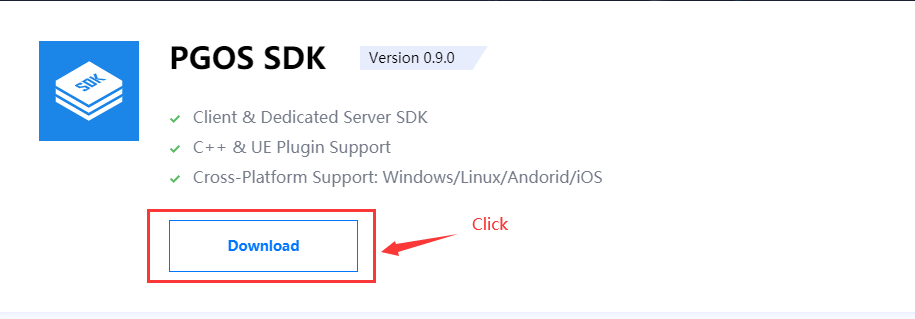
1. Download the New PGOS UE Plugin
You can click here to download:
2. Update the PgosSDK Folder
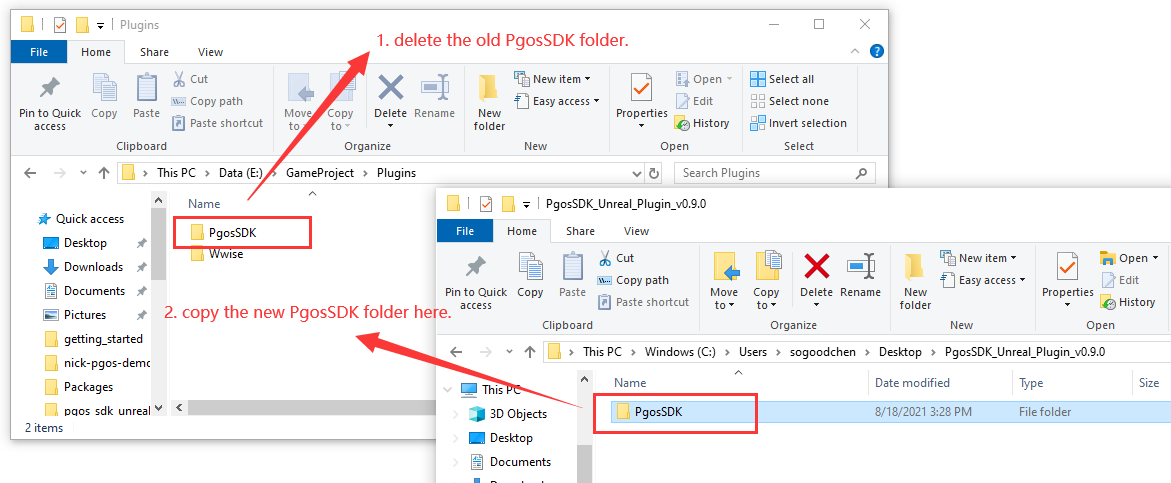
Delete the old PgosSDK folder first, and then copy the new one to the Plugins directory.
3. Regenerate Visual Studio Project Files
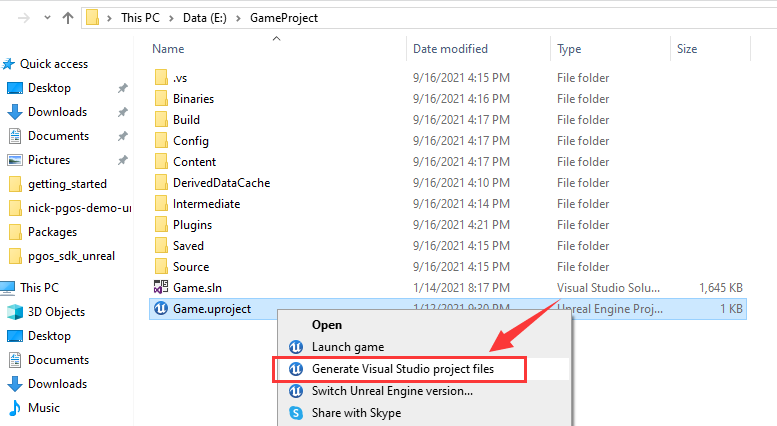
Although UBT will automatically compile all code files in the Source directory, we still recommend you to do so, so that you (as a code developer) can easily access the latest PGOS interface files from the visual studio Solution Explorer.
4. Execute Build in Visual Studio
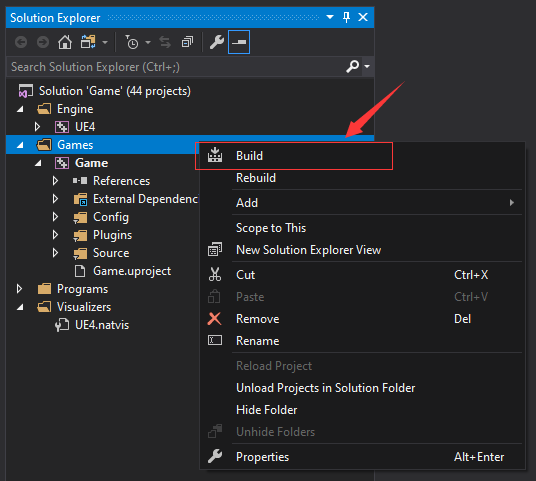
In order to ensure that the code of the new plugin takes effect and that the plugin code is consistent with the PGOS libraries, you need to execute a build command in visual studio.
Pay attention to the content of the visual studio output window:
- If the game code uses a deprecated API of PGOS, there will be a warning message, please replace it with the recommended one.
- If PGOS removes some API or some structure fields, and your code uses them, an error message may be output.
How to deal with these possible warning/error messages, you can refer to the suggestions in PGOS Change Log. After solving these possible warnings/errors, the PGOS UE Plugin is upgraded.