Guide
Overview
PGOS Overlay provides chat features that can adapt to a wide variety of scenarios, including:
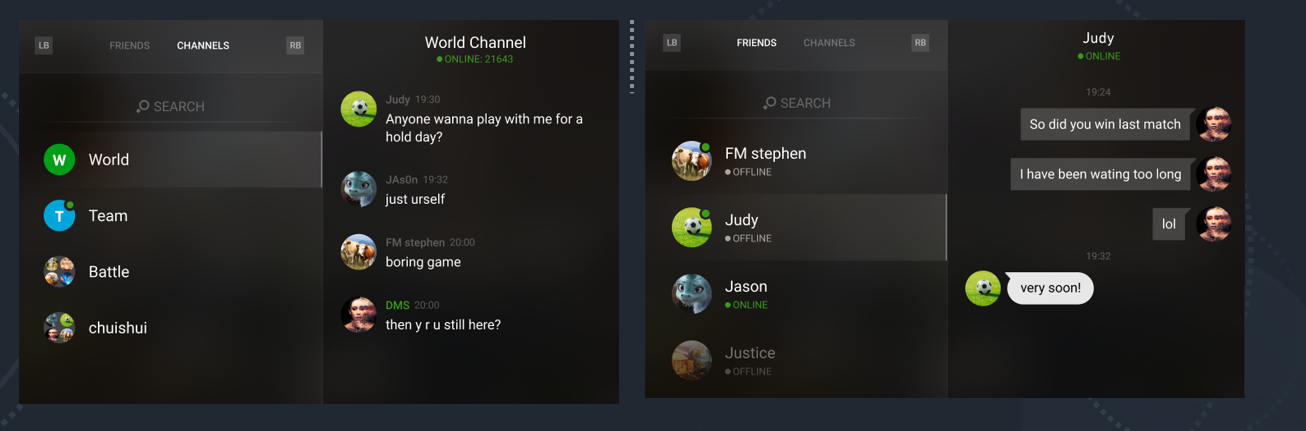
1. Text Chat
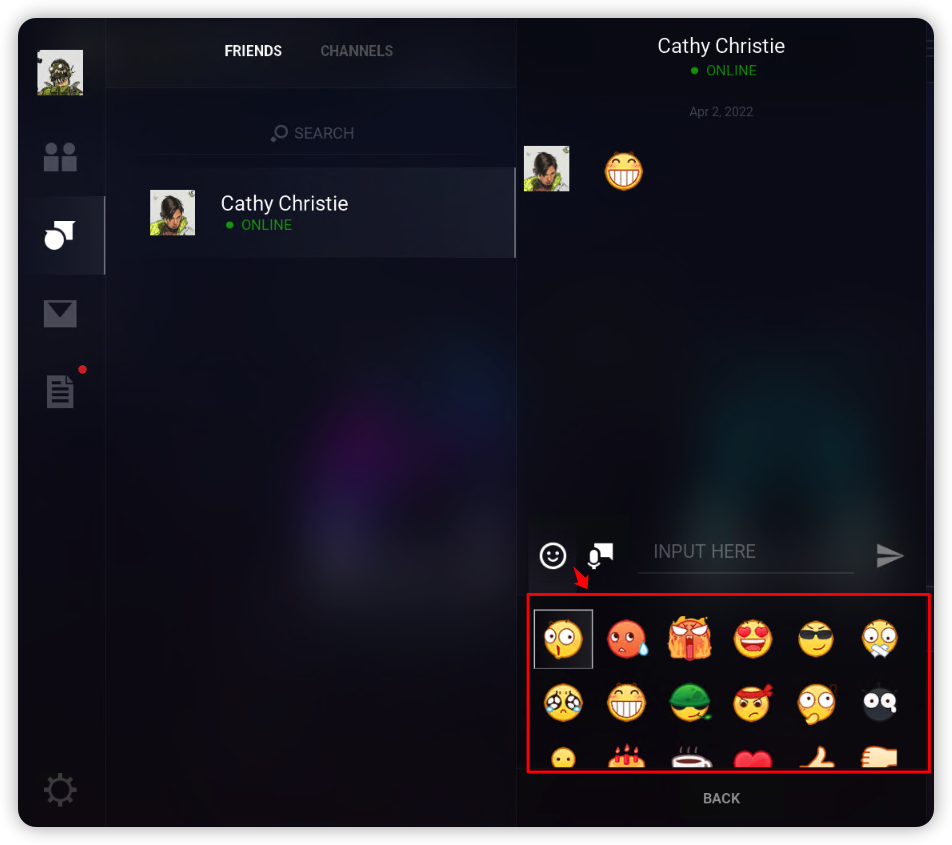
1.1 Emoji and Sticker
You can configure static and dynamic sticker lists locally, allowing players to select and send stickers in the PGOS Overlay chat interface.
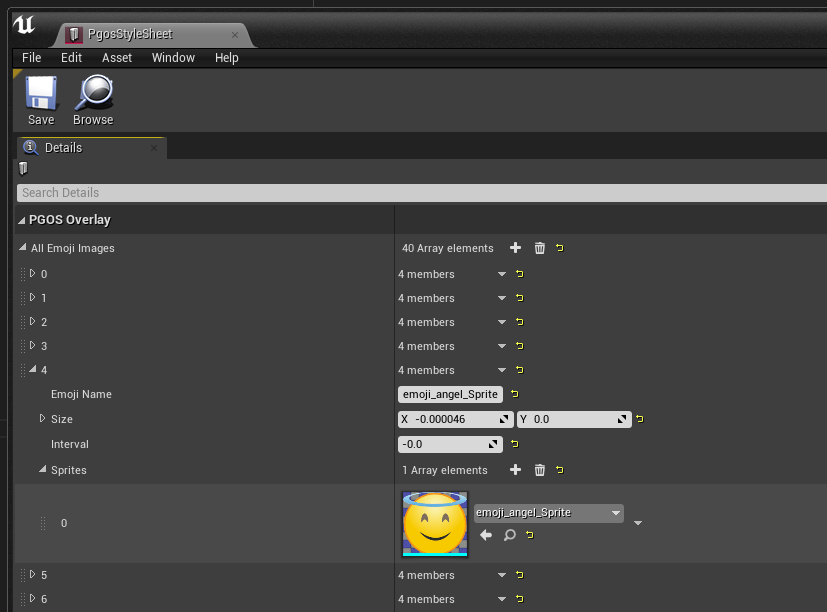
1.2 Sticker Configuration
Sticker lists can be configured in /PgosWeaver/Styles/PgosStyleSheet.PgosStyleSheet.
❗ Note: This configuration feature is a temporary solution. In the future, sticker lists will probably be configured on the
PGOS Web Portalback-end so they can be dynamically downloaded by clients via HTTP.
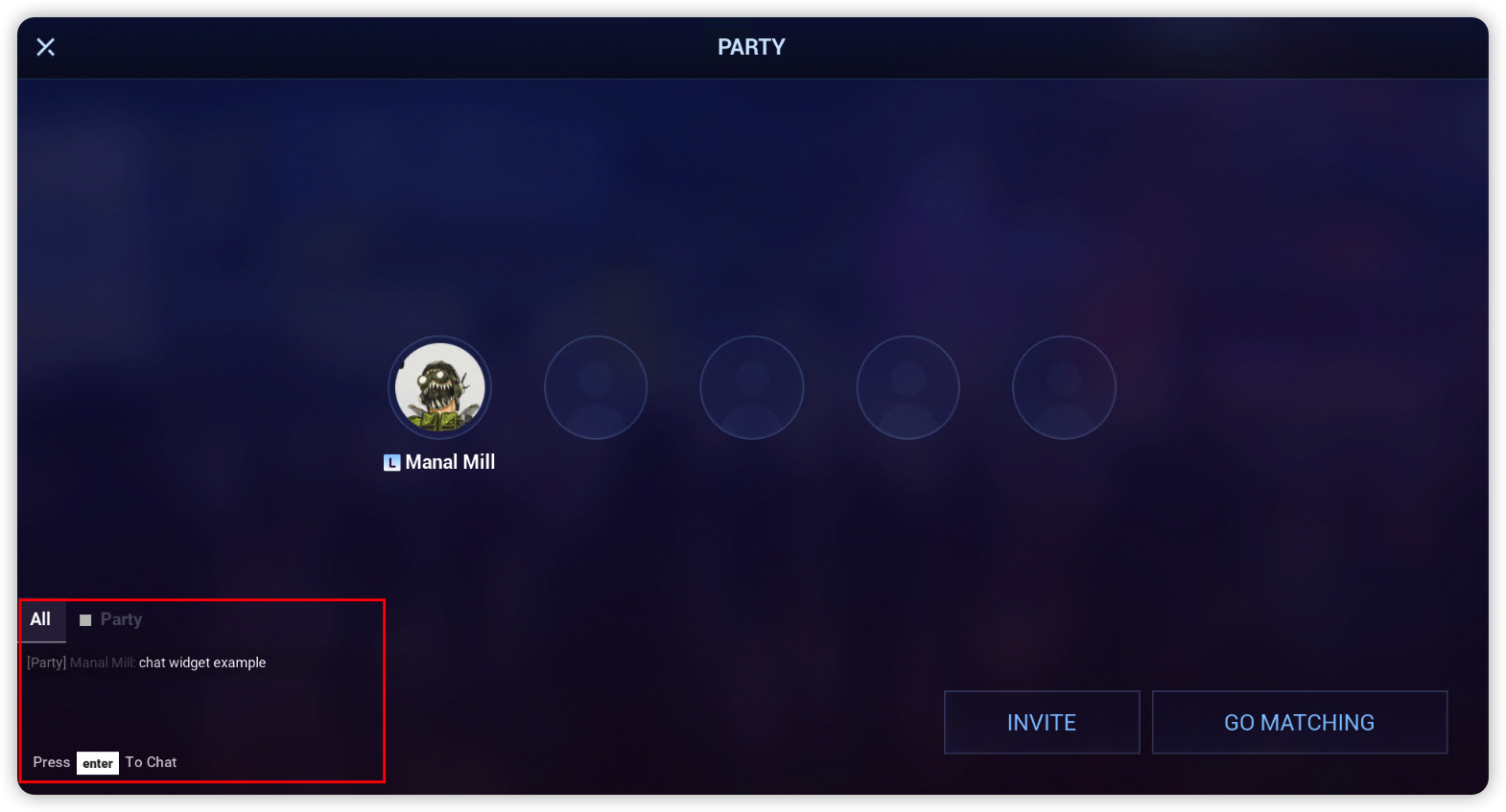
2. ChatView Widget
ChatView widget provides group chat capabilities outside of the main Overlay interface. It can be embedded in any game interface.
2.1 Integrating
Create ChatView widget at first, then bind the events you need
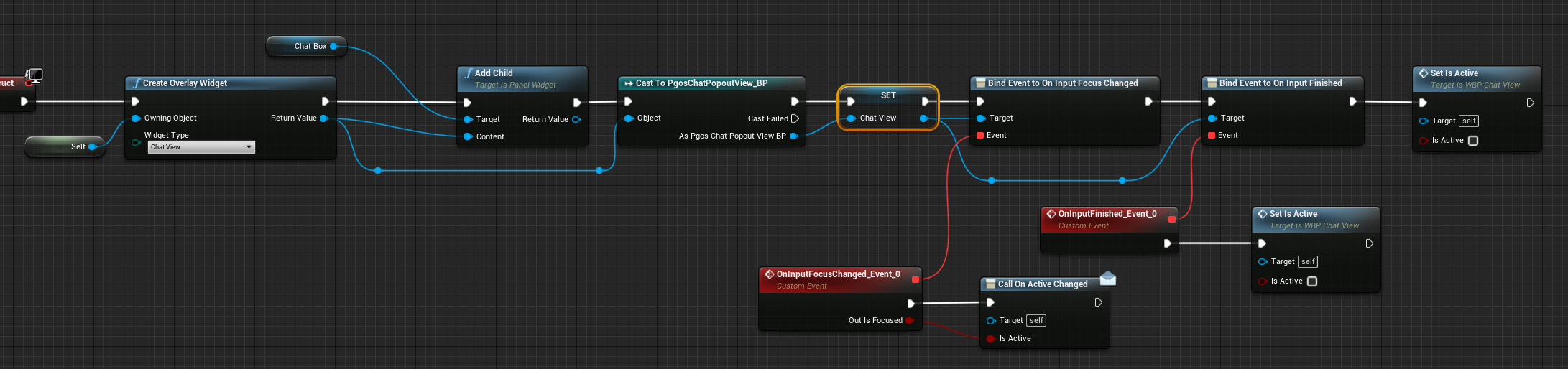
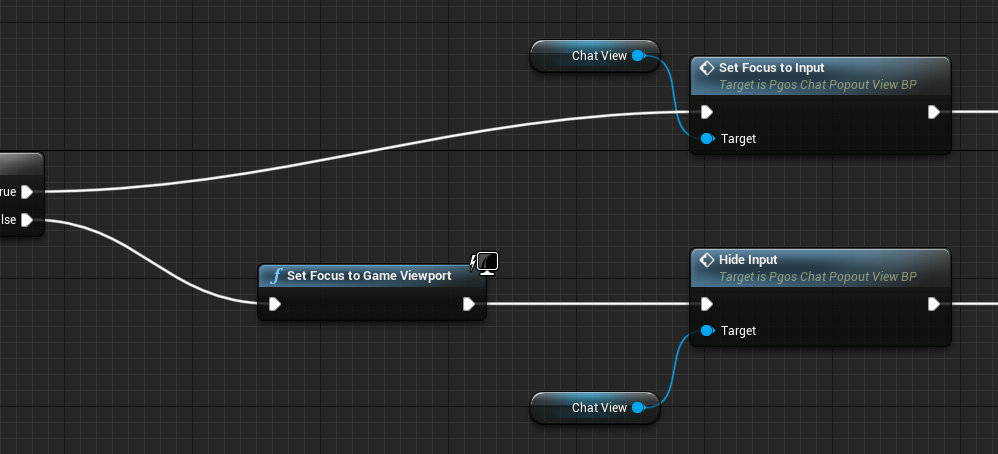
You need to cast the resulting Widget into the type UPgosChatPopoutView_BP, then call Set Focus to Input/Hide Input if you want to mannually change the input focus of ChatView out of the default behaviour.
It's similar in C++.
// Create Login Widget and Setup
UUserWidget* ChatWidget = UPgosBlueprintFunctionLibrary::CreateOverlayWidget(ParentPanel, EPgosOverlayWidgetType::ChatView);
UPanelSlot* PanelSlot = ParentPanel->AddChild(ChatWidget);

// PanelSlot: setup layout here
// ...

// Listen Events
UPgosChatPopoutView* ChatView = Cast<UPgosChatPopoutView>(ChatWidget);
// OnInputFocusChanged: called after ChatView gained or lost the input focus
ChatView->OnInputFocusChanged.AddUObject(...);
// OnInputFinished: called after the User finish his input (usually with pressing `Enter`)
ChatView->OnInputFinished.AddUObject(...);

// Available Method(s):
ChatView->SendChatMessage(TEXT("text message here"));